Dynamic Web Development - Week 7 Presentation
- Dec 8, 2025
- 3 min read
My goal for this course was being able to create a simple web app that enables users to have a gamified language learning experience.
Coming from 3D game industry background and as a language enthusiast I'm seeking for ways to make language learning a fun and immersive experience rather then a tedious pedagogic one (such as most of those being used in schools, universities and apps like DuoLingo).
I am inspired by researcher James Paul Gee who argues that language learning thrives through "situated experience." He explains that language is not merely a set of rules to memorize but a dynamic tool tied to real-world participation and evolving contexts. According to Gee, immersive experiences within specific environments and activities are the most effective way to learn.
One of the questions that is leading me when trying to create this experiences is what is their additional value in comparison with existing immersive media language learning tools such as movies, TV series, games, and music. Speaking several languages using these methods I realized at some point that one of the things that make you feel fluent when speaking a foreign language is the ability to level up your speech with idioms and expressions, avoiding clunky sentences. I found that the existing methods don't provide language learners a sufficient situated experience with those valuable idioms.
At first I wanted to create a web app that is a puzzle that connects idioms that users post to the server to drawings of idioms that they made. This was the original design for the landing page when I wanted to emphasize the puzzle aspect and the puzzling nature of idioms:

I wanted it to convey encycolpedic motive, playfulness and imagination. I used illustrations of 3 idioms to spark the artistic passion of the users.
Later on after seeing the Quick Draw! app and data base in class I realized my landing page wasn't really inviting users to paint, used a technic they cannot mimic on the computer or smartphone and being a bit unclear. The drawing aspect of it wasn't playful enough. I decided to change direction and create an app that will be more similar to Quick Draw! and Skribblio. aesthetically and user experience wise.
This was the new plan for the website:

There were still problems like the landing page still being too messy, but I changed the focus to a gamified drawing app where you can watch the gallery (the database).
The next step was designing it in Figma and improving the site map. this was the result:

I liked the how it turned out but there were still some improvements I wanted to make. I was worried that the user typing and idiom by themselves to the idiom data base may result multiple versions of the same idiom and decided to remove this feature and generate random idioms in advance next to the draw pad. I added a reset and save buttons which I think I should remove in the future because they reduce the playfulness that the user experince when they "have to" draw fast and cannot fully control the result. There are also export issues that should be fixed and button frames replacing place holders.
This is the landing page now:

This is the gallery:
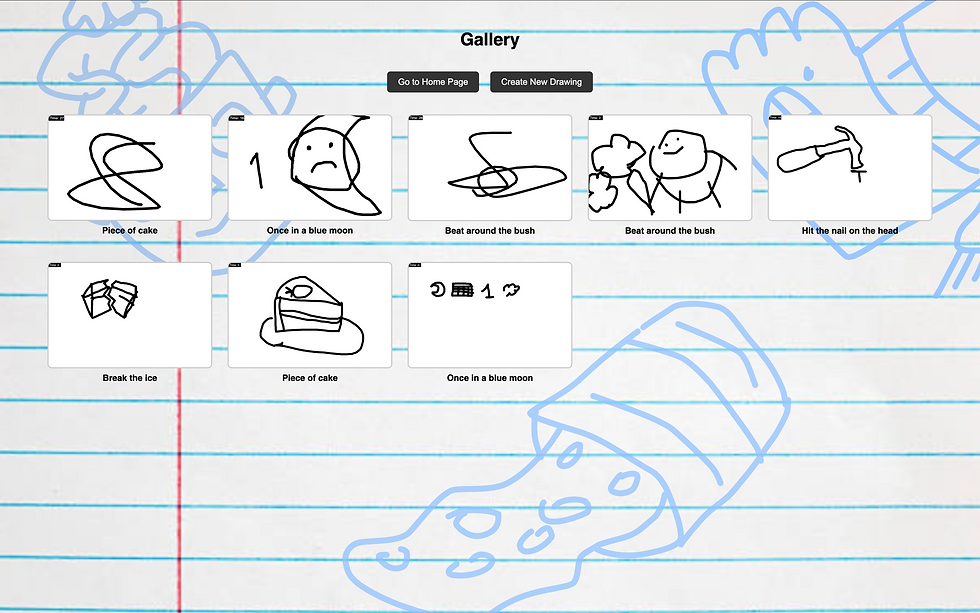
It is currently working on the local host but I hope to move it soon to the server.
Here is an example of a user testing it:
Here is the link do the code: